GB WhatsApp Auto Reply Templates for Small Business Owners (2026 Guide)
Running a small business on GB WhatsApp? Get ready-to-use auto reply templates for orders, support, and after-hours messages, plus the exact steps to set them up.
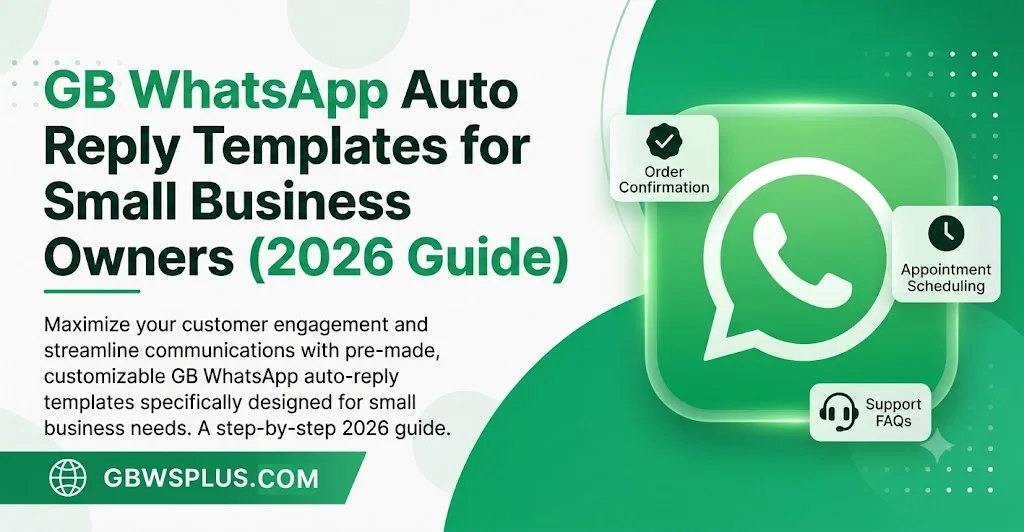
If you run a small shop, salon, or service business, chances are your customers message you on WhatsApp before they ever call. The problem is simple: you can’t be glued to your phone all day, and a slow reply often means a lost sale. GB WhatsApp’s built-in auto reply feature solves this without needing a separate business tool or paid software, and at GBWSPLUS.COM we get asked almost daily how to set this up the right way.
This guide gives you copy-paste templates for the most common business situations, plus the setup steps so your auto replies actually trigger when they should.
Why Auto Reply Matters More Than You Think
Customers messaging a business on WhatsApp expect a fast response, often within minutes. When nobody replies, most people simply move on to the next seller in their search results or recommendations. An auto reply doesn’t close the sale for you, but it buys you time, sets expectations, and keeps the conversation alive until you can jump in personally.
How to Set Up Auto Reply on GB WhatsApp
- Open GB WhatsApp and tap the three-dot menu in the top right corner.
- Go to GBWhatsApp Settings, then select Auto Reply.
- Toggle the feature on.
- Type your message in the text box, or paste one of the templates below.
- Choose who receives it: everyone, only contacts, or only non-contacts.
- Set a schedule if you only want it active outside business hours.
- Save your changes.
Once it’s active, anyone who messages you within your set rules will get an instant reply, even while your phone is locked or you’re away from it.
Auto Reply Templates by Business Type
General Small Business / Retail
Hi! Thanks for reaching out. We’ve received your message and will get back to you within 1–2 hours during business hours (9 AM–6 PM). For urgent orders, please call us directly at [your number].
Online Store / E-commerce
Thanks for messaging us! Our team is currently helping other customers. Please share your order number or product name and we’ll respond as soon as possible, usually within 30 minutes.
Salon, Spa, or Appointment-Based Business
Hello and thank you for contacting us! To book an appointment, please share your preferred date, time, and service. We’ll confirm availability shortly. For same-day bookings, calling us directly gets the fastest response.
After-Hours / Closed Message
Thanks for your message! Our business hours are 9 AM–7 PM, Monday to Saturday. We’ve received your note and will reply first thing when we reopen.
Customer Support / Service Business
We’ve got your message and a team member will respond shortly. In the meantime, you can check our FAQs at [your link] for quick answers to common questions.
Tips for Writing Your Own Auto Reply
Keep it short. A message customers can read in five seconds works better than a paragraph. Always give them a sense of when to expect a real reply, since vague responses feel dismissive. If you offer a phone number or alternate contact for urgent matters, include it, especially for service businesses where timing matters. Finally, update the message seasonally; a generic “we’ll respond soon” feels less personal during holidays or sales events when you can mention promotions directly in the auto reply.
Common Mistakes to Avoid
A few small business owners set the auto reply to fire on every single message, which means customers get the same canned response over and over in one conversation. Set it to trigger only once per chat session if your version supports that option. Also avoid making promises you can’t keep, like “we reply in 5 minutes,” if your actual response time is longer; mismatched expectations hurt trust more than a slower honest reply would.
FAQ
Does auto reply work when GB WhatsApp is closed? Yes, as long as the app has background permissions enabled and your phone has an internet connection, the auto reply triggers even when the app isn’t open.
Can I set different replies for different contacts? GB WhatsApp’s auto reply applies broadly (everyone, contacts, or non-contacts) rather than per individual contact, so for fully personalized routing you’d need a dedicated business tool.
Will customers know it’s an automated message? The message itself doesn’t carry an “automated” label, so write it in a natural tone rather than something that reads like a bot script.
This article is for educational purposes. GB WhatsApp is a third-party modified app and is not affiliated with WhatsApp Inc. or Meta. Using it carries some risk of account restrictions; see our [safety guide] for details before relying on it for critical business communication.